 Logging you in...
When you go to our book page, if the book has an OCLC number, we provide it. Here is how to use it to find the book at your public library.
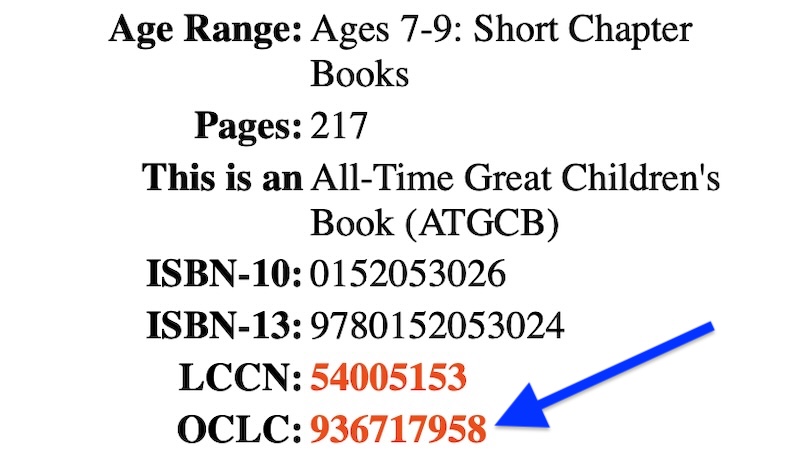
Click that link, and you will be sent to the corresponding page at the OCLC-WorldCat website.
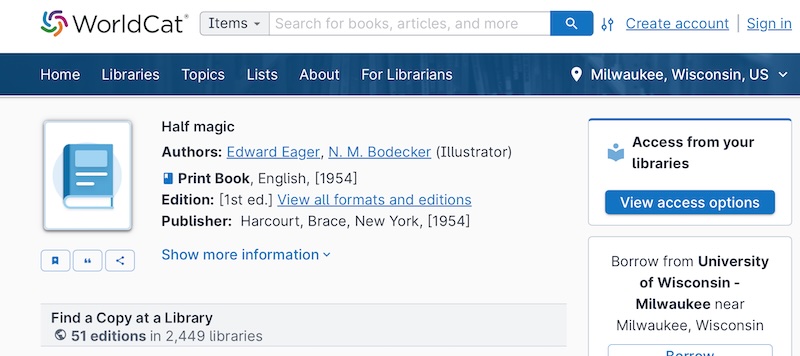
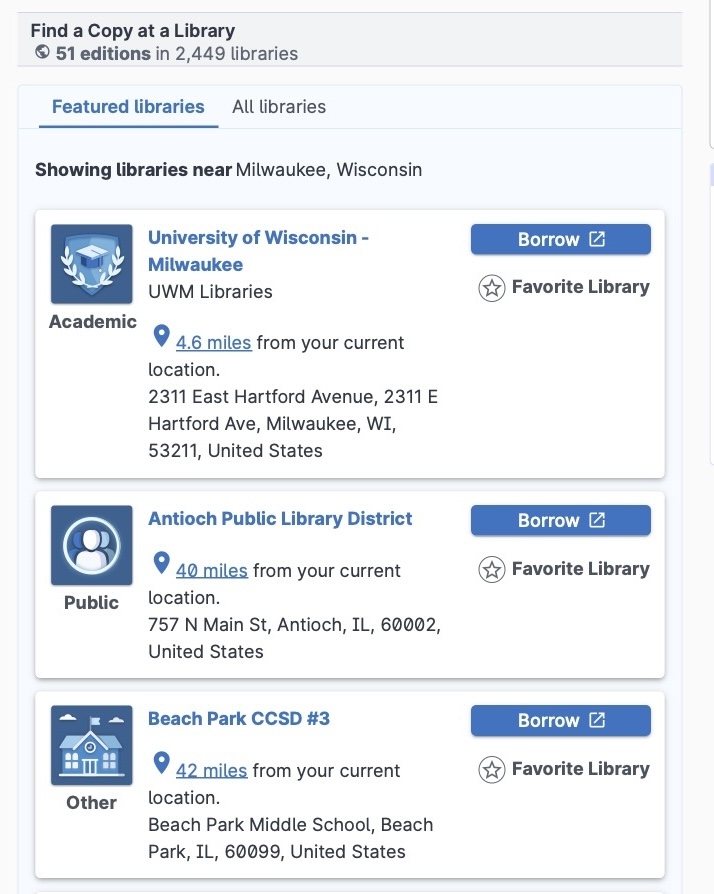
If you scroll down the page, it will show you all the copies of that book that WorldCat knows about, listed in order of how close they are to you.
Or at least how close they are to your Internet Service Provider.
In our example for Half Magic (1954), WorldCat has detailed records for this book at 2,449 libraries.
Here is what the first three records look like:
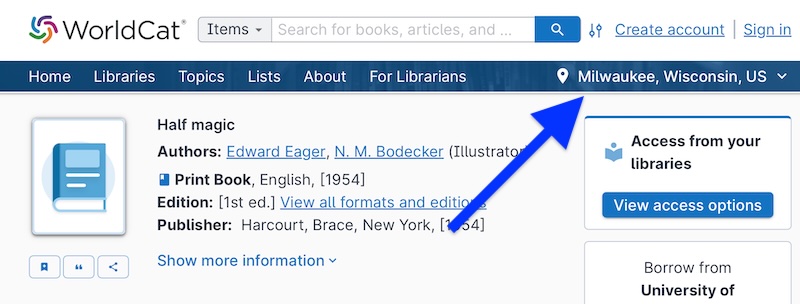
Click on that location, and a new window will appear:
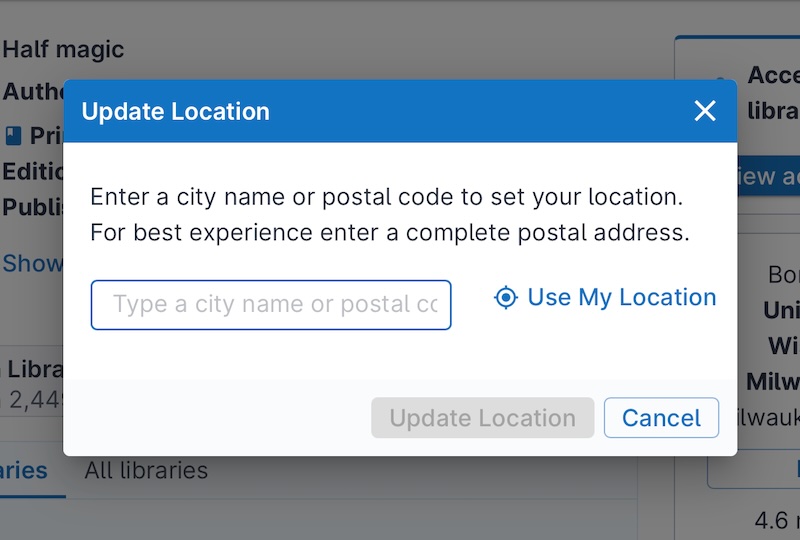
It says:
Enter a city name or postal code to set your location. For best experience enter a complete postal address.
We will change our address to Oconomowoc in Wisconsin:
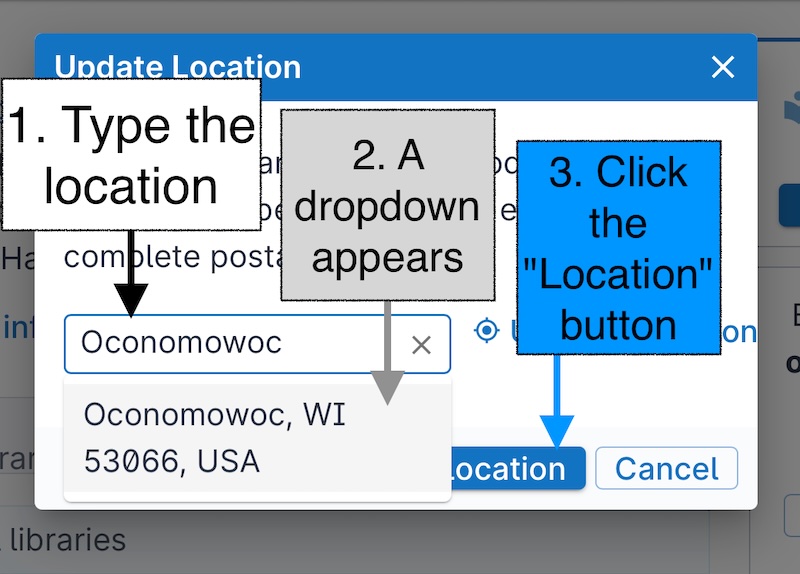
The steps are as follows:
- Type the location. It can be a city name, or a Zip Code, or a complete postal address.
- A dropdown appears. Verify the address by clicking on the dropdown.
- Click the blue "Location" button.
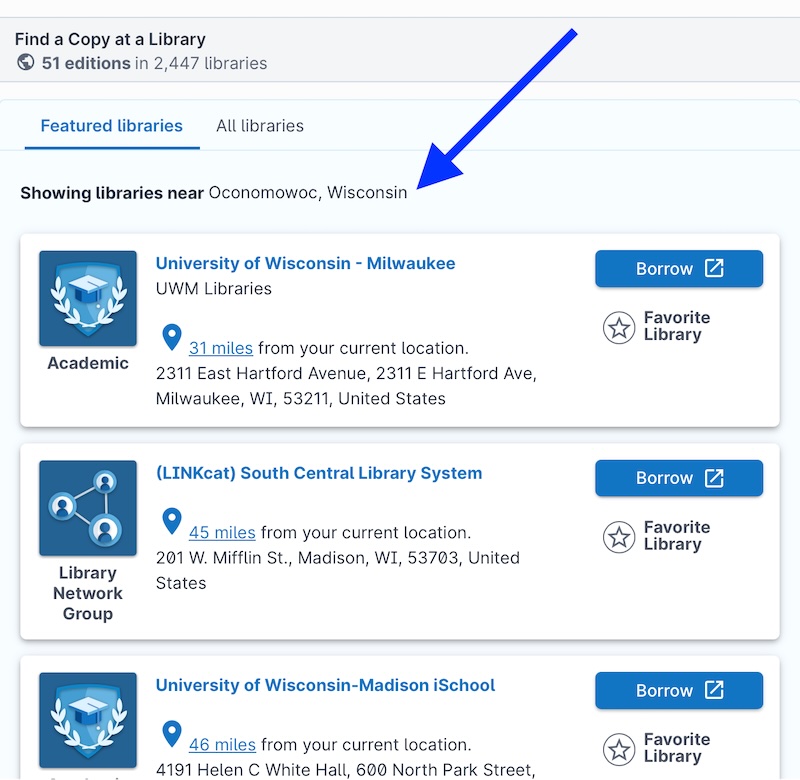
Then the page will reload. Now it will show you all the copies of that book that WorldCat knows about, listed in order of how close they are to the new location you entered:
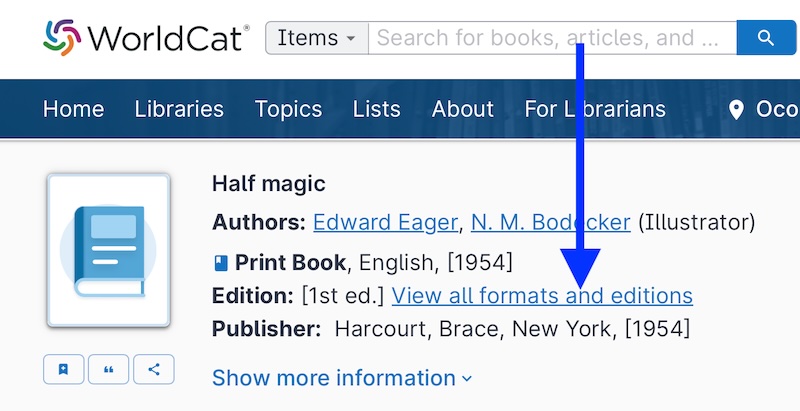
You will be taken to a page that lists all the editions and formats that WorldCat knows about.
The page has three main parts. We've added colors to make the parts more evident:
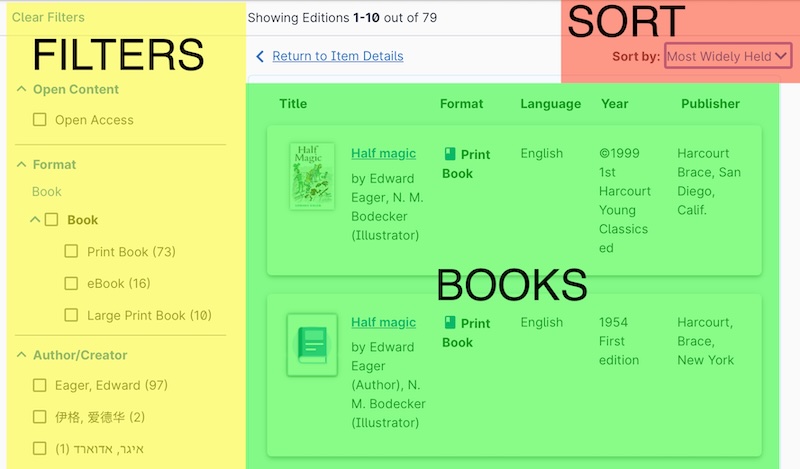
Legend:
- Green. This is the list of books.
- Yellow. These are the many ways you can filter the list of books.
- Red. These are ways you can sort the list of books.
GUIDE FOR USERS
At View the List
On a Book Page
Read Online
Public Library
Free Member
Join as a Free Member and you'll have access to our My Books system. We will remember where you left off. And you can sign up for our Book-of-the-Week newsletter!
FREE!
My Books
Make your own personal annotations to any of our thousands of books.
Ask for a Recommendation
Use our Contact Us page to ask us for a book recommendation that will match your needs.
Premium Member
Subscribe for Premium Membership, and you'll get early access to a new community for people who love children’s books, founded by a Master Collector of Children’s Literature.
$9.95 / month
Save $20.40 by billing annually
Everything in Free Member, plus:
For Fans of Children’s Books
Get early access to a new community for people who love children’s books, founded by a Master Collector of Children’s Literature.
Community Forum
Share your experiences of children’s books and discuss them with our Community.
Family Plan
If you are a parent, after you subscribe as a Premium Member, then you can also register your children as Premium Members for free!
Ask for a Recommendation
Ask our whole Community for a book recommendation that will match your needs.
Essays
Get the latest from us. Sign up for our newsletter for Premium Members.