 Logging you in...
Some of our book pages provide you with links to read the book online for free at the University of Florida.
OVERVIEW
The University of Florida Digital Collections provides free and open access to full unique and rare materials held by the University of Florida and partner institutions. Building their collection for more than 20 years, they now have more than a million items.
In the Description of some books, we provide a link so you can read the book online at the University of Florida.
Click a link like that, and a new tab will open in your browser. In that tab, you will taken to the page where you can read the book online for free.
Consider this example of the book description for A Book of Christmas Verse (1895):
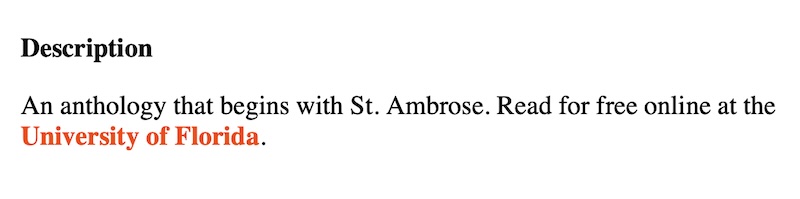
On our book page, if you click that link, a new tab in your browser opens.
You are sent to the page at the University of Florida where you can read the book online for free:
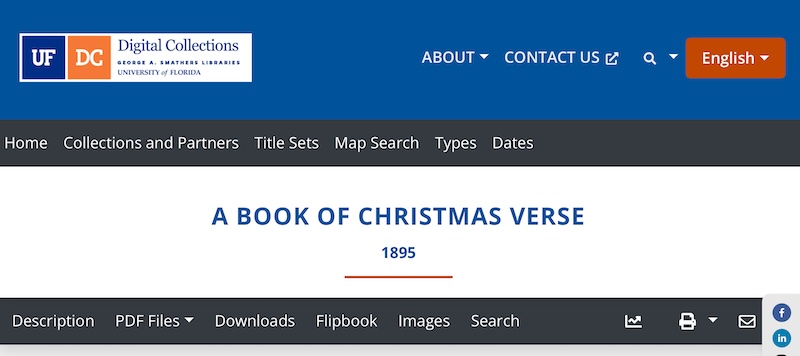
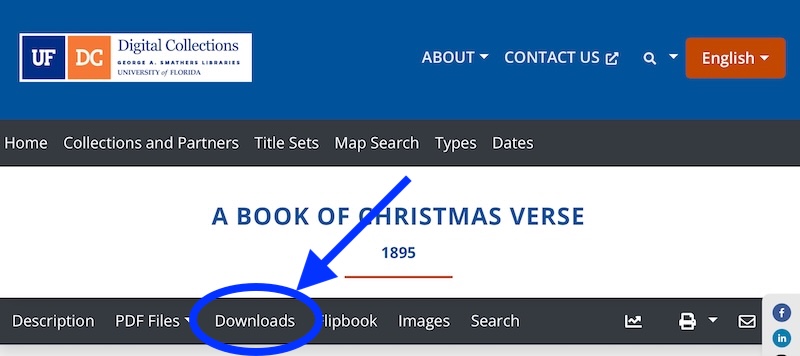
In the second menu bar, you are offered many ways to read the book:
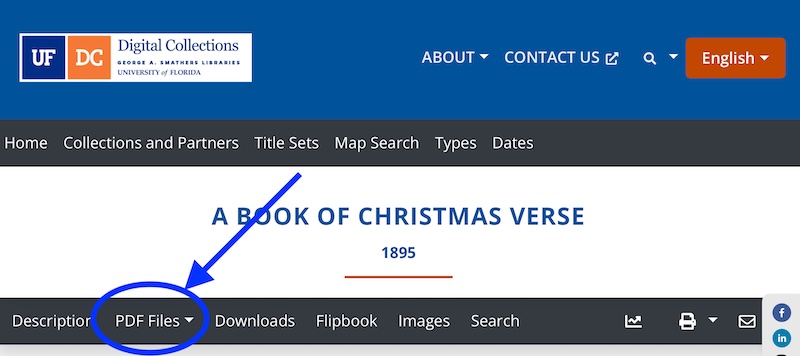
If you click that item in the menu bar, you are taken to a page where you have two ways to read the book as a PDF:
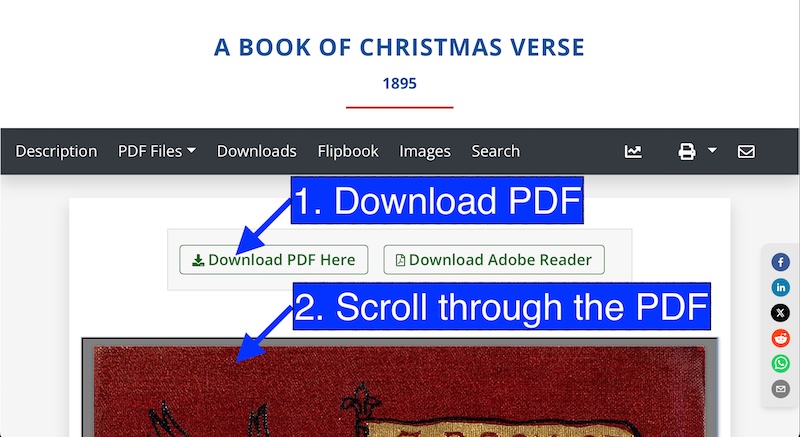
NOTES:
1. Download PDF. This will download one file to your computer. It will contain a scan of the entire book. It will be in PDF format.
2. Scroll through the PDF. The PDF will appear on your screen. You can scroll downward to read the book.
If you click that item in the menu bar, you are taken to a page where you have three ways to download the book:
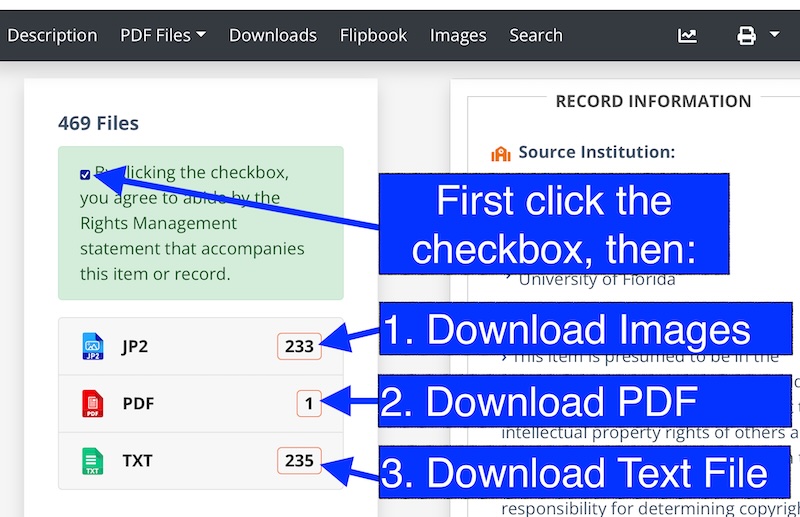
NOTES:
1. Download Images. This will download one folder to your computer. It will contain individual scans of each page of the book. The individual scans will be in .JP2 format.
2. Download PDF. This will download one file to your computer. It will contain a scan of the entire book. It will be in PDF format.
3. Download Text File. This will download one file to your computer. It will contain the written text of the entire book. It will be in .TXT format.
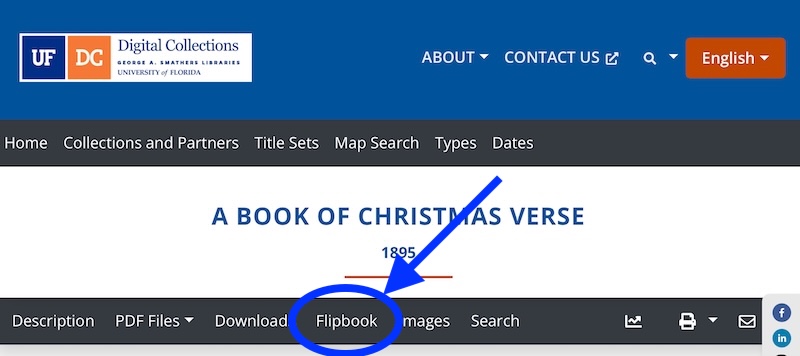
If you click that item in the menu bar, you are taken to a page where you can flip through the digital pages.
The experience is almost like reading a paper book, even with page-turning animations.
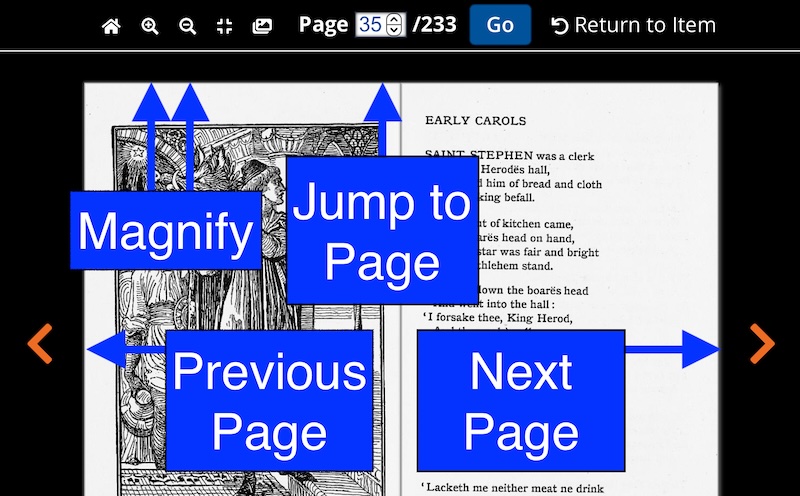
Consider this example from A Book of Christmas Verse (1895):
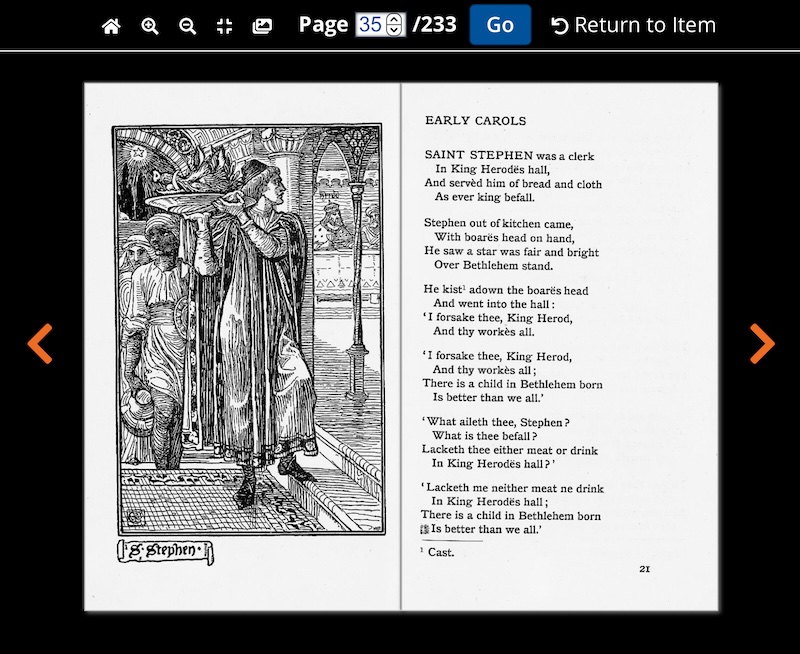
Here are some of the great features Flipbook provides to help you read the book:
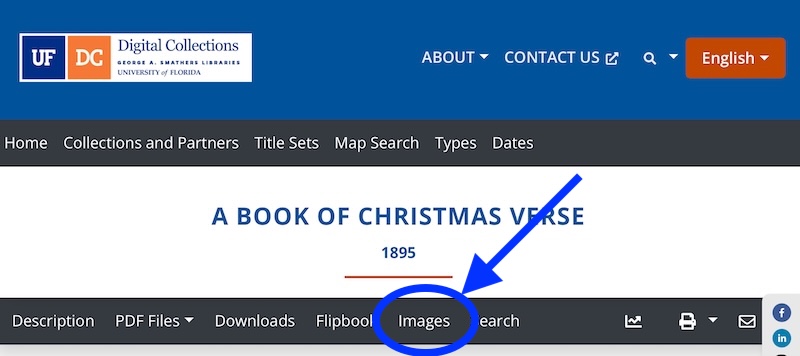
If you click that item in the menu bar, you are taken to a page where you have two ways to read the book as individual images:
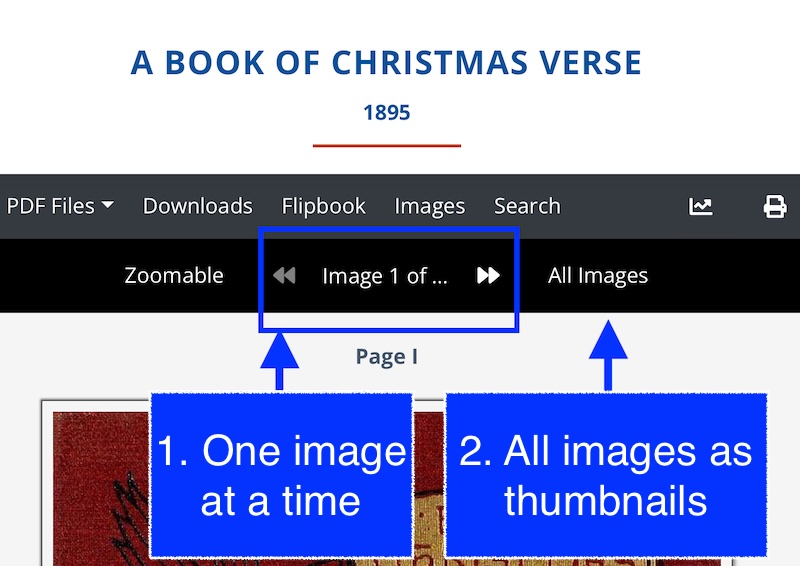
NOTES:
1. One image at a time. This works like Flipbook (see above). A scan of one page will appear on your screen at a time.
2. All Images as Thumbnails. You will be sent to a new page. It will have small images of each page of the book. If you click on any one image, it will enlarge.
GUIDE FOR USERS
At View the List
On a Book Page
Read Online
Public Library
Free Member
Join as a Free Member and you'll have access to our My Books system. We will remember where you left off. And you can sign up for our Book-of-the-Week newsletter!
FREE!
My Books
Make your own personal annotations to any of our thousands of books.
Ask for a Recommendation
Use our Contact Us page to ask us for a book recommendation that will match your needs.
Premium Member
Subscribe for Premium Membership, and you'll get early access to a new community for people who love children’s books, founded by a Master Collector of Children’s Literature.
$9.95 / month
Save $20.40 by billing annually
Everything in Free Member, plus:
For Fans of Children’s Books
Get early access to a new community for people who love children’s books, founded by a Master Collector of Children’s Literature.
Community Forum
Share your experiences of children’s books and discuss them with our Community.
Family Plan
If you are a parent, after you subscribe as a Premium Member, then you can also register your children as Premium Members for free!
Ask for a Recommendation
Ask our whole Community for a book recommendation that will match your needs.
Essays
Get the latest from us. Sign up for our newsletter for Premium Members.