 Logging you in...
Some of our book pages provide you with links to read the book online for free at Internet Archive.
OVERVIEW
Internet Archive began in 1996. It is a non-profit library with 44 million books and texts.
In the Description of some books, we provide a link so you can read the book online at Internet Archive.
Click a link like that, and a new tab will open in your browser. In that tab, you will taken to the page where you can read the book online for free.
Consider this example of the book description for The King of the Golden River (1851):
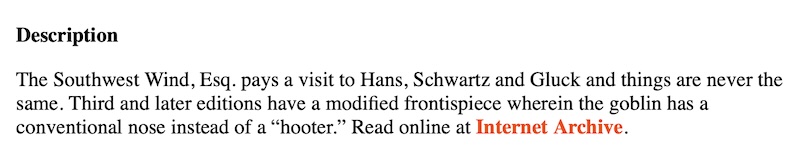
On our book page, if you click that link, a new tab in your browser opens.
You are sent to the page at the Internet Archive where you can read the book online for free:
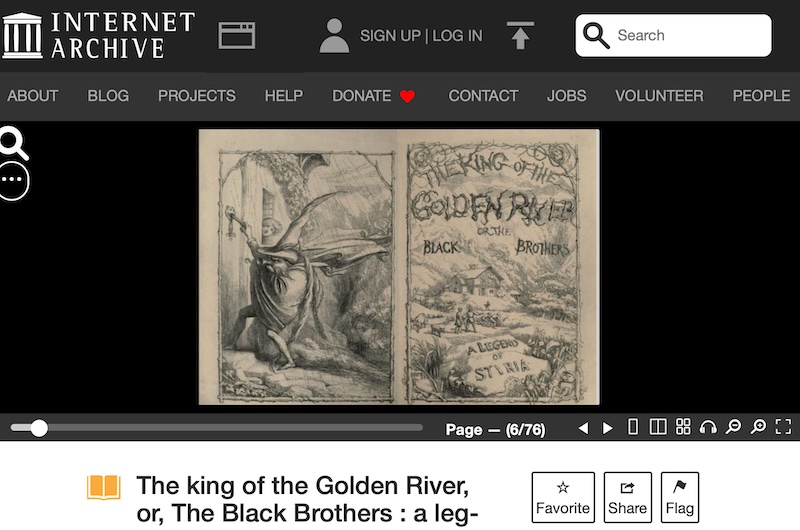
1. READ BY FLIPPING THROUGH PAGES
When you land on that page, you can flip through the digital pages.
For most people, this is probably the best option.
The experience is almost like reading a paper book, even with page-turning animations.
This example shown above from The King of the Golden River (1851).
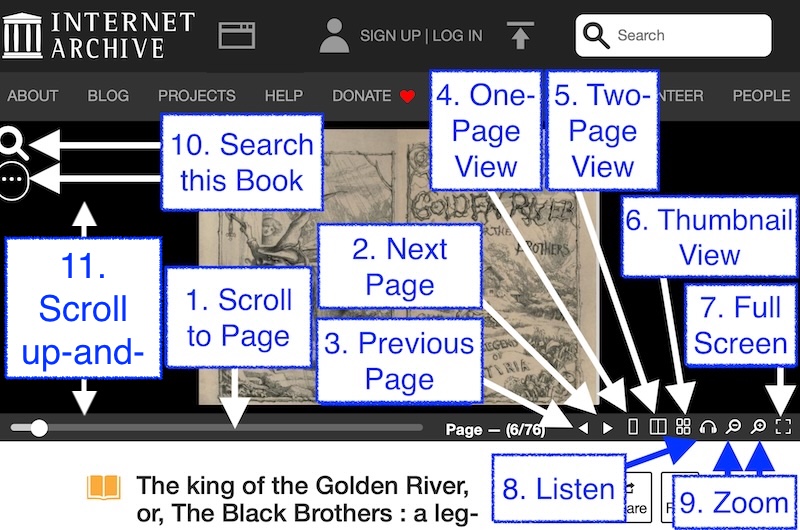
Here are some of the great features it provides to help you read the book:
NOTES:
1. Scroll to Page. If you click-and-hold the circle, you can drag it from side-to-side. That is how you can move many pages at once.
2. Next Page. If you click the triangle that points to the right, you will advance by one page.
3. Previous Page. If you click the triangle that points to the left, you will go back by one page.
4. One-Page View. This will switch you to viewing one page at a time.
5. Two-Page View.This will switch you to viewing two pages at a time.
6. Thumbnail View. This will switch you to viewing many small pages at a time.
7. Full-Screen. This will switch you to the entire interface occupying your entire screen.
8. Listen. This will switch you to audiobook-mode. It will read the book to you aloud.
9. Zoom. You can zoom in and zoom out.
10. Search this Book. You can search the text of this book.
11. Scroll up-and-down. Simply hover over the page, then scroll up or down. This is an easy way to move through the pages.
2. READ DOWNLOADS
If you scroll down the page, you will find the Download Options. They are extensive.
As of this writing, on the page for The King of the Golden River (1851), we counted 17 ways to download the book.
However, for most people, the following three are probably of the most interest:
1. Black-and-White PDF:
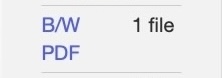
This will download one file to your computer. It will contain a scan of the entire book. It will be in PDF format. It will have the colors that were captured during the optical scan of the paper book.
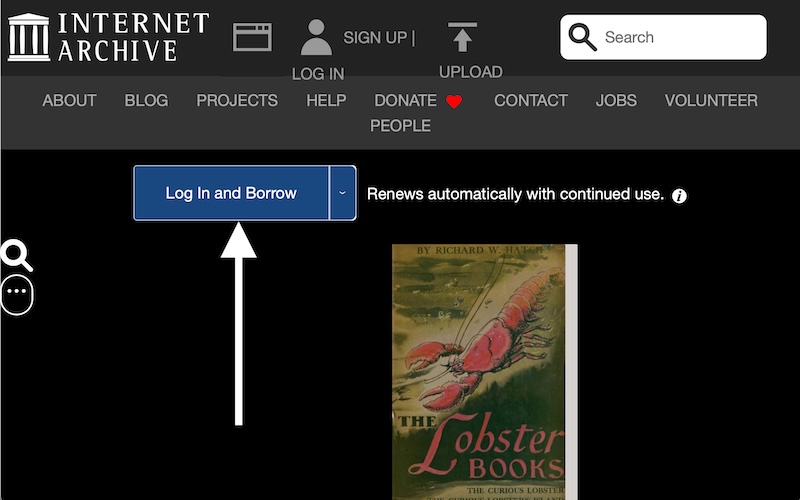
The message in the blue box tells us what to do. We must Log in and Borrow.
That is because the book is still under copyright protection.
We click the blue box and are sent to a Log In page:
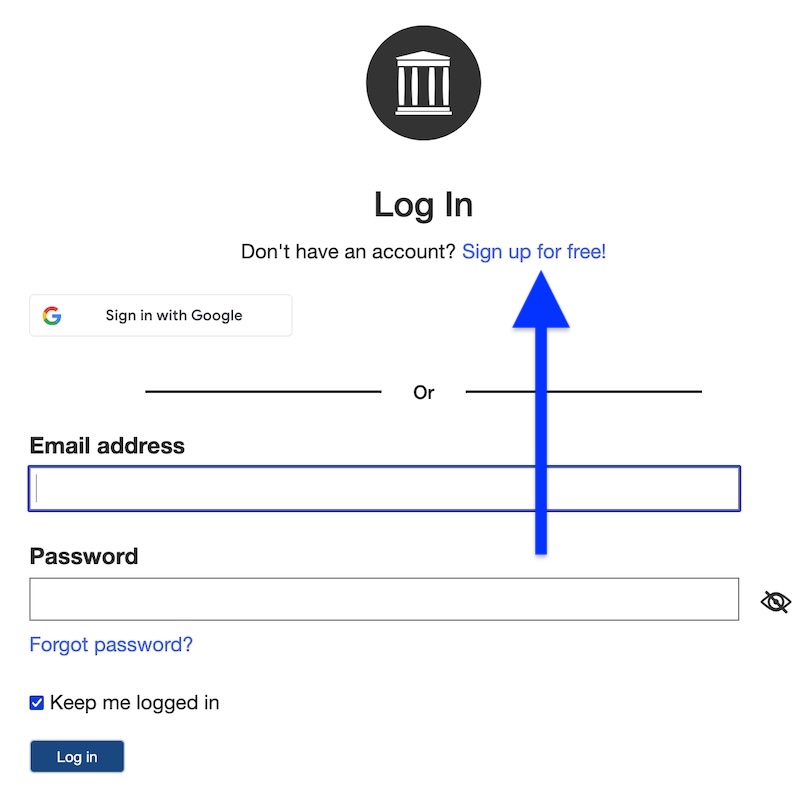
If you already have an account at Internet Archive, you can Log In as usual. If not, you will need to click the link to Sign up for Free!
That Sign up for Free! link will send you to a page at Internet Archive where you can Sign up for an account.
It will look something like this:
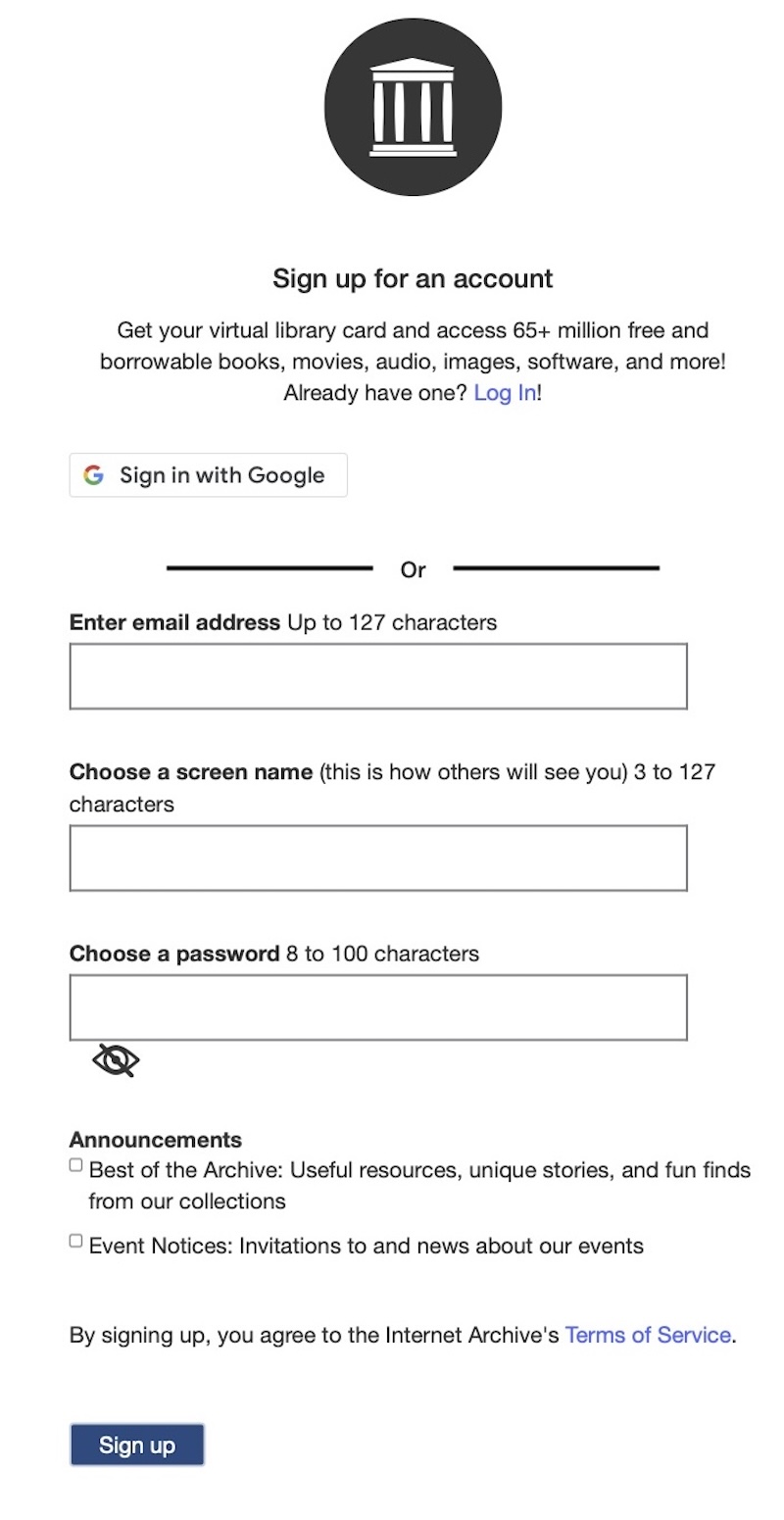
Provide the required information, and follow their signup process.
Then you will be redirected to the book page. Now the blue box is different.
Now it says Borrow:
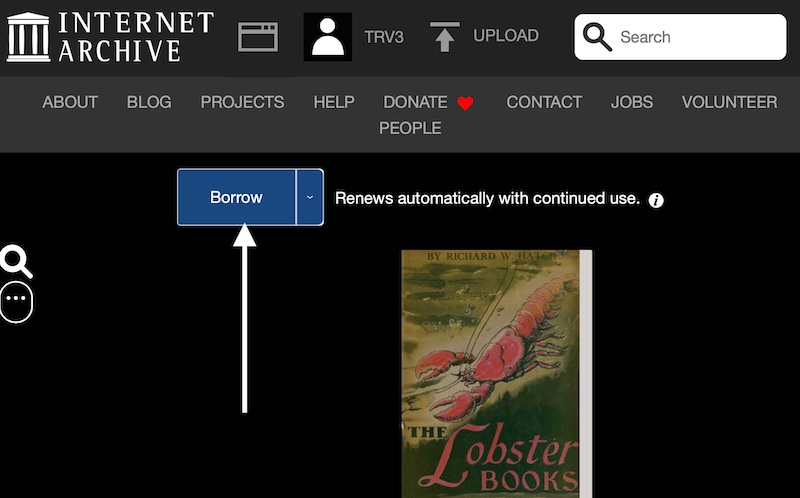
Click the blue box, and Internet Archive will loan the book to you.
Then the page will look something like this:
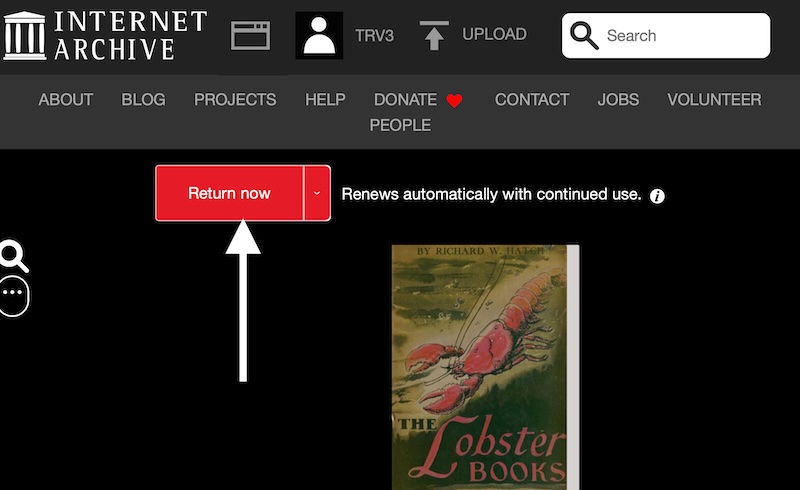
To stop borrowing the book, click the red "Return now" link.
For how long can you borrow the book? It depends on the copyright situation for the specific book:
- Some books are limited to one hour.
- Other books can be borrowed for a different amount of time.
- In the example above, we can keep the book as long as we continue to use it.
4. BOOK IS NOT AVAILABLE
You might land at the book page at the Internet Archive and find the book is not available.
Why is that?
There are two main reasons:
1. Borrow Unavailable
For some books that are still under copyright protection, the Internet Archive may have lost the ability to loan them out any more.
Consider this example of the book page at Internet Archive for How big is Zagnodd? (2020):
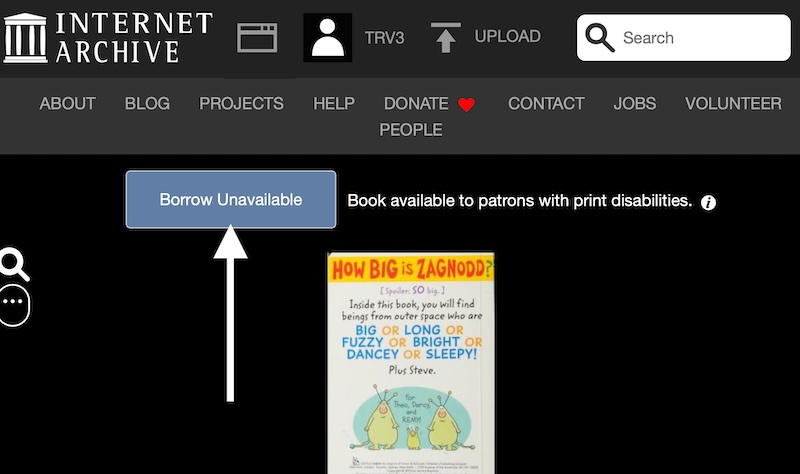
The pale blue box says "Borrow Unavailable."
If you try to scroll through the pages of the book, it will only offer a Limited Preview.
If you encounter such a thing, it means the page at Internet Archive has changed since we linked to it.
If you would be so kind as to please contact us to let us know, we will correct our link so other people aren't sent to that page.
2. This item is no longer available
For some books that are still under copyright protection, the Internet Archive may have lost the ability to even be able to host them any more.
Consider this example of the book page at Internet Archive for Asterix and the Chieftain's Daughter (2019):
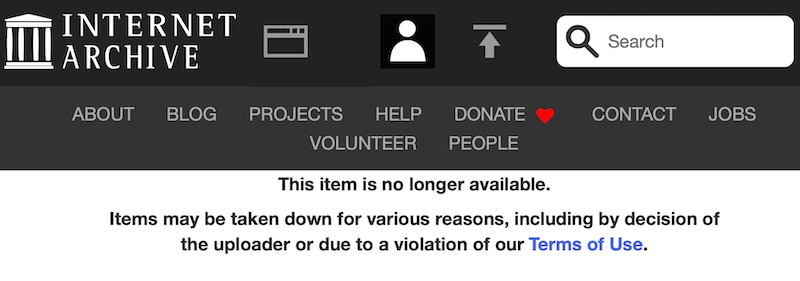
If you encounter such a thing, it means the page at Internet Archive has changed since we linked to it.
If you would be so kind as to please contact us to let us know, we will correct our link so other people aren't sent to that page.
GUIDE FOR USERS
At View the List
On a Book Page
Read Online
Public Library
Free Member
Join as a Free Member and you'll have access to our My Books system. We will remember where you left off. And you can sign up for our Book-of-the-Week newsletter!
FREE!
My Books
Make your own personal annotations to any of our thousands of books.
Ask for a Recommendation
Use our Contact Us page to ask us for a book recommendation that will match your needs.
Premium Member
Subscribe for Premium Membership, and you'll get early access to a new community for people who love children’s books, founded by a Master Collector of Children’s Literature.
$9.95 / month
Save $20.40 by billing annually
Everything in Free Member, plus:
For Fans of Children’s Books
Get early access to a new community for people who love children’s books, founded by a Master Collector of Children’s Literature.
Community Forum
Share your experiences of children’s books and discuss them with our Community.
Family Plan
If you are a parent, after you subscribe as a Premium Member, then you can also register your children as Premium Members for free!
Ask for a Recommendation
Ask our whole Community for a book recommendation that will match your needs.
Essays
Get the latest from us. Sign up for our newsletter for Premium Members.